
Prayer Memory
iPhone & watchOS
Calibrate once. Pray with focus. Track your Rakaa with silent haptic feedback on your iPhone or wrist—no distractions, just mindfulness.
How It Works: Three Powerful Modes
Start with calibration, then unlock guided prayer, and use Tasbih anytime.
 watchOS
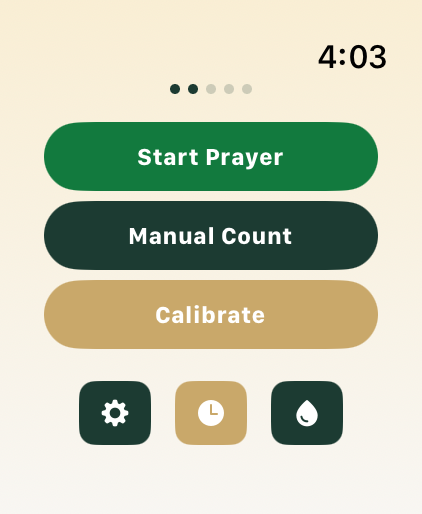
Calibrate
Calibrate your natural Rakaa timing to unlock Prayer Mode.
 watchOS
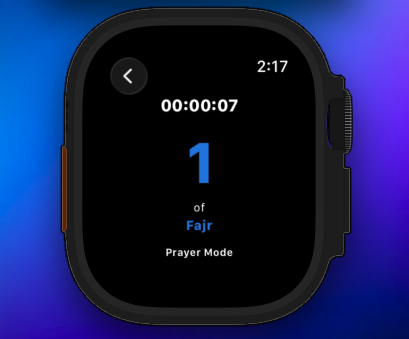
Pray
Get guided through each Rakaa with silent haptic feedback—no screen needed.
 watchOS
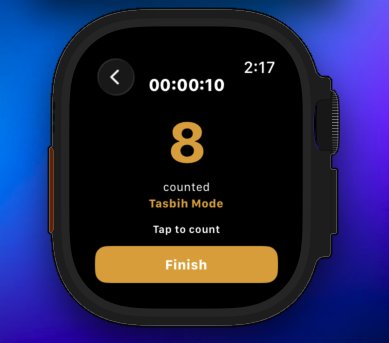
Tasbih & Manual
Use the Tasbih counter for dhikr or manual Rakaa counting anytime.
Turn on Silent Mode on your Apple Watch before praying. Haptic vibrations still work — you feel every rakaa change on your wrist without any sound. Pair with Do Not Disturb for a fully uninterrupted prayer.
Quick Access, Anytime
Launch your prayer in one motion — from your wrist, Lock Screen, or voice.
Watch Complication
Add Prayer Memory to your watch face. Tap once to jump straight into your prayer — no scrolling, no searching.
Lock Screen Widget
Add an iOS widget to your Lock Screen or Home Screen. Start tracking your prayer with a single tap.
Siri Shortcut
Say "Hey Siri, start my prayer" to launch Prayer Memory hands-free. Works with both iPhone and Apple Watch.
Privacy & Offline First
Your privacy is sacred. Like your prayers.
Works on iPhone & Apple Watch
Full-featured app on both devices. Watch app also works standalone.
No Account Required
Zero sign-ups. No email needed. Just download and use immediately.
Works Offline
Internet-free. All processing happens on your device locally.
On-Device Storage
Prayer data stays on your device. Never synced or shared.
Unlimited Tracking
Track unlimited Rakaa counts, Tasbih counters, and prayer history without any limits.
Bilingual Support
Full support for English and Arabic languages.
Frequently Asked Questions
Everything you need to know about Prayer Memory.